Social Media (SNS)
Summary: XBRUSH Social Media is a social media management hub built into XBRUSH. Connect your social accounts, schedule posts from Workspace content, and track performance — all in one place.
What is Social Media (SNS)?
The Social Media menu is XBRUSH's integrated social media management feature. It lets you connect your social accounts, schedule and publish content created in Workspace, and monitor post performance through a unified dashboard.
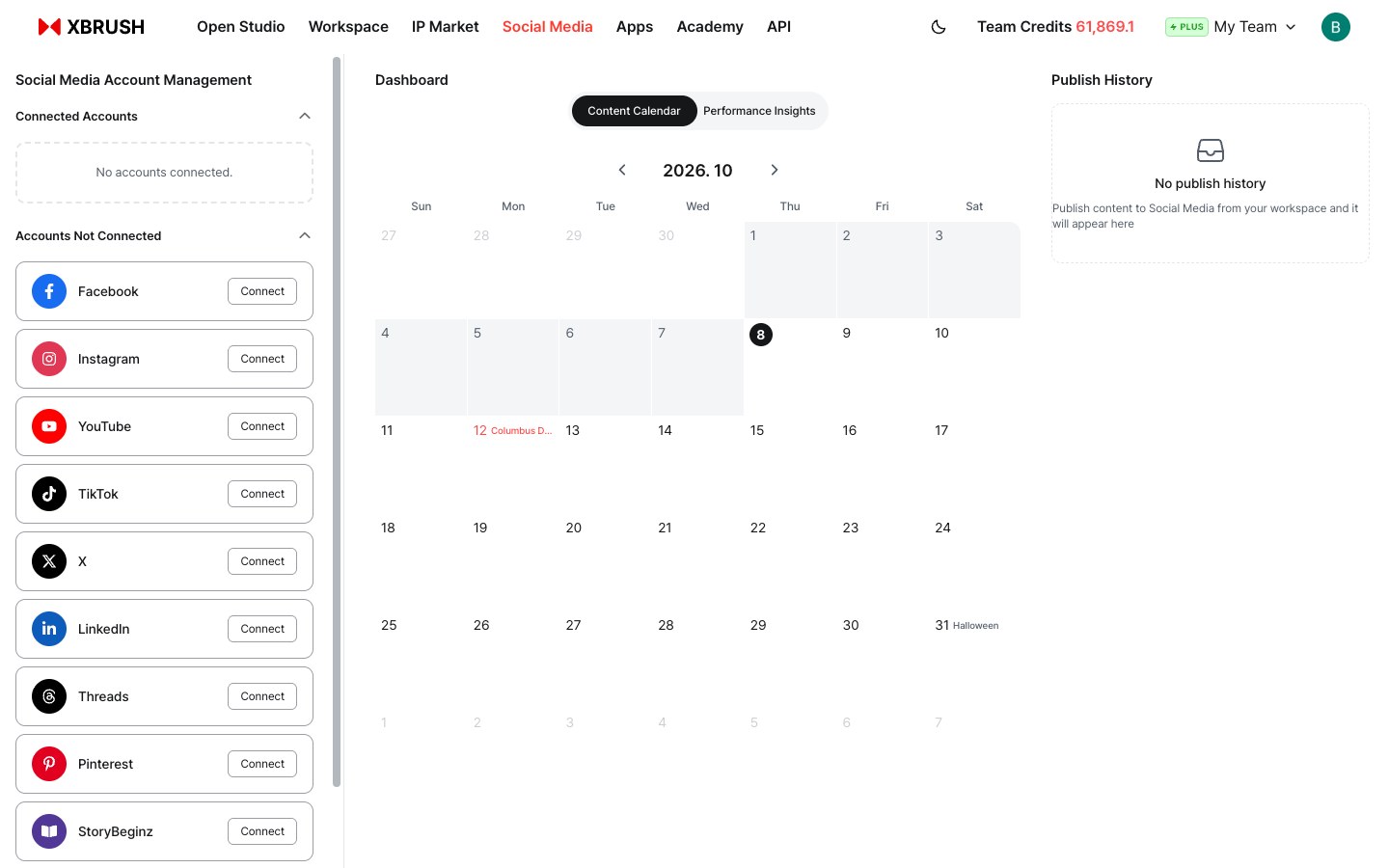
Social Media dashboard — Social Media Account Management (left), Dashboard with the Content Calendar tab (center), and Publish History (right).
The Social Media screen is divided into three panels:
| Panel | Description |
|---|---|
| Social Media Account Management (left) | Connect and manage your social media accounts, split into Connected Accounts and Accounts Not Connected |
| Dashboard (center) | Content Calendar tab for scheduling and Performance Insights tab for analytics |
| Publish History (right) | Log of all content published from Workspace to social platforms |
How to Access
- Log in to XBRUSH at xbrush.ai.
- Click Social Media in the top navigation bar.
- The Social Media dashboard opens.
Connecting Social Accounts
Before publishing, connect at least one social account.
Available platforms (9):
- YouTube
- TikTok
- X (Twitter)
- Threads
- StoryBeginz
Every platform you have not connected yet is listed under Accounts Not Connected in the left panel, each with a Connect button.
To connect an account, click the Connect button next to the platform. Follow the platform's authentication flow to authorize XBRUSH.
Once connected, the account moves to the Connected Accounts section at the top of the left panel.
Content Calendar
The Content Calendar tab in the dashboard shows a monthly calendar view of your scheduled and published posts.
- Navigate months with the ◀ ▶ arrows.
- Today's date is highlighted.
- Holidays and observances are labeled next to the date (e.g., Columbus Day, Halloween).
- Posts scheduled or published on a given day appear on the calendar.
To add content to the calendar, share content directly from Workspace using the Share to Social Media button. It will be recorded here automatically.
Performance Insights
Switch to the Performance Insights tab to view analytics for your published content.
- Track reach, engagement, and other metrics across connected platforms.
Publish History
The Publish History panel on the right shows a log of all content you have published from Workspace to social media.
- Each entry records the platform, content, and publish date.
- When no posts have been made yet, the panel shows: "No publish history."
Platform Guide
At the bottom of the left panel, expand Platform Guide for tips on content formats and best practices for each connected social platform.