Video Generation
Summary: XBRUSH's video generation creates a video from a text prompt, optionally guided by reference images, videos, or audio. Select an AI engine, set the aspect ratio, length, and resolution, describe the motion with a prompt, and a video is automatically generated.
What is Video Generation?
Video generation is XBRUSH's feature that uses an AI engine to create a video with natural motion from a text prompt and, optionally, reference images. With the default engine (Seedance 2.5) you can generate a video even without an image. The credit cost depends on the engine and settings (resolution, length, etc.) and is shown on the Generate button.
Video Generation Overview
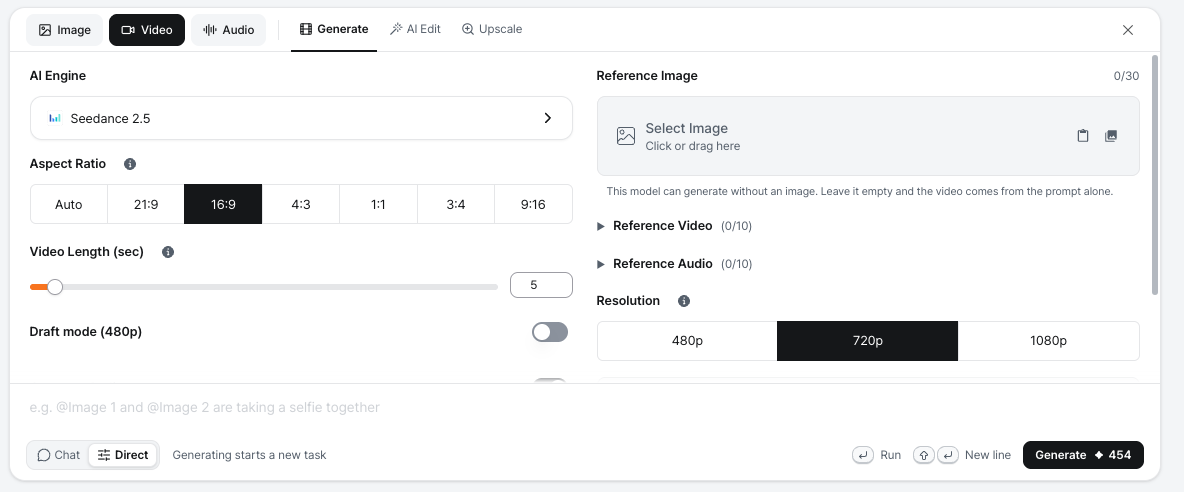
Shows the key features and usage of the video generation function.
- In the Workspace input box, switch to Direct mode, select the Video tab, and open the Generate sub-tab. (Other sub-tabs: AI Edit and Upscale.)
- You can select the AI engine used to generate the video. Seedance 2.5 is used by default.
- A start image is not required with the default engine — leave the reference image empty and the video is generated from the prompt alone.
- You can add up to 30 Reference Images, 10 Reference Videos, and 10 Reference Audio files.
- Choose the Aspect Ratio (Auto, 21:9, 16:9, 4:3, 1:1, 3:4, 9:16) and the Resolution (480p / 720p / 1080p).
- Video Length (sec): Set the length with the slider. The available range depends on the engine.
- Draft mode (480p) generates a quick low-resolution draft.
- Generate Audio creates audio along with the video. Include Background Music is off by default because background music may be blocked by copyright checks.
- You can add a text prompt to describe the motion.
Generate a Video from a Generated Image
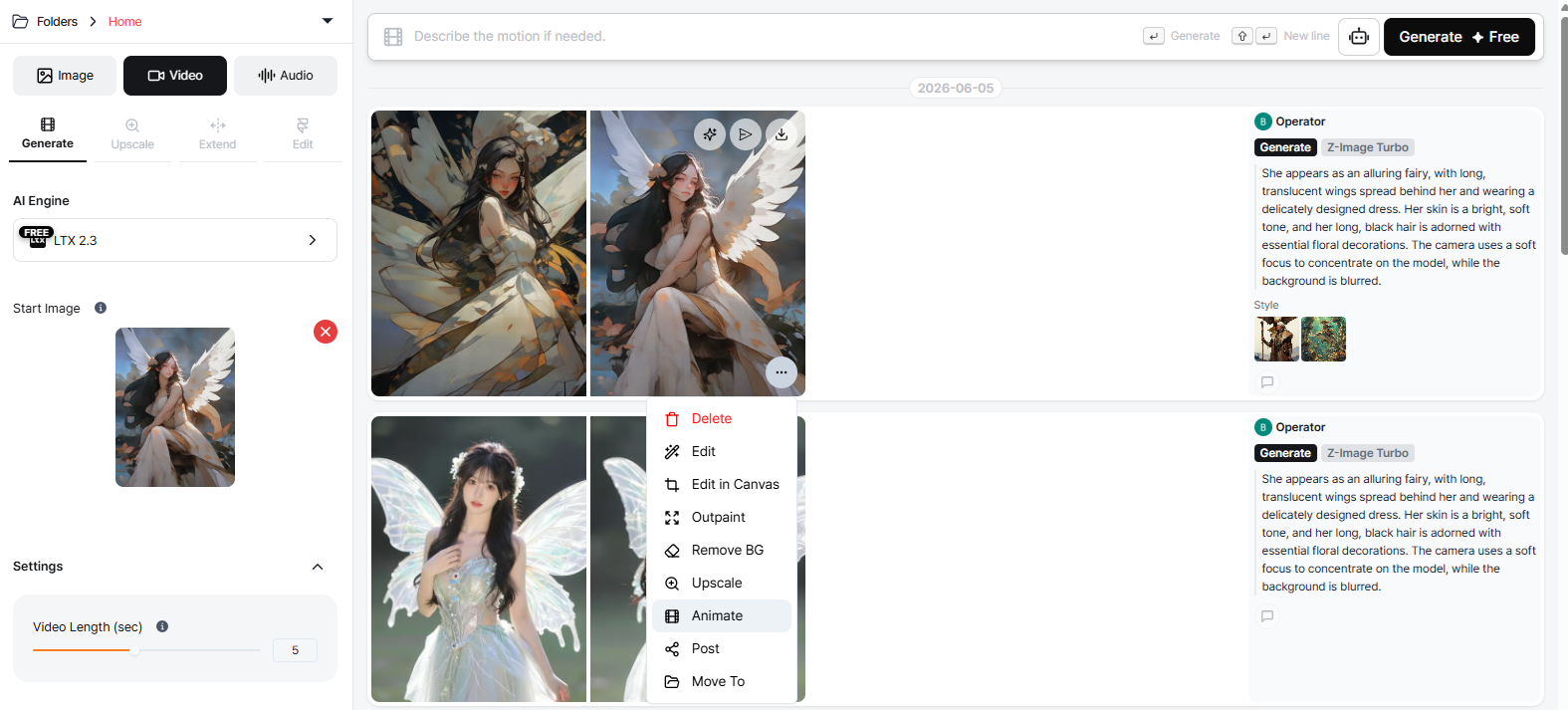
Video generation.
- Add an image and click the Run button.
- The video generates immediately without a prompt, producing a 5-second video by default.
- Processing time depends on the engine and settings; when it is done, a result card appears in the task feed.
Generate a Video from an Uploaded Image
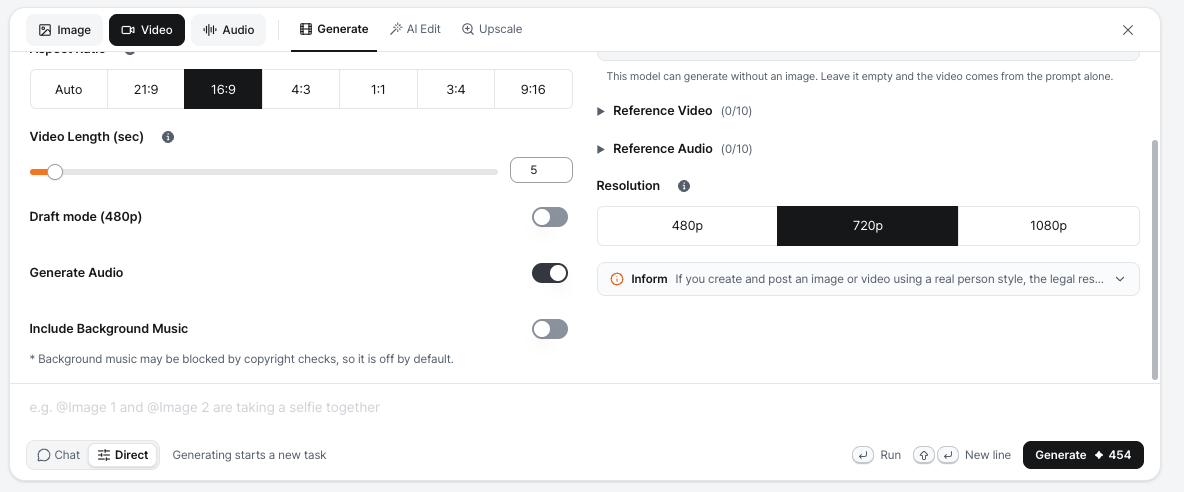
Video generation.
- Upload an image as a reference image (optional), adjust the settings, and click the Generate button.
- The default video length is 5 seconds.
- Processing time depends on the engine and settings; when it is done, a result card appears in the task feed.
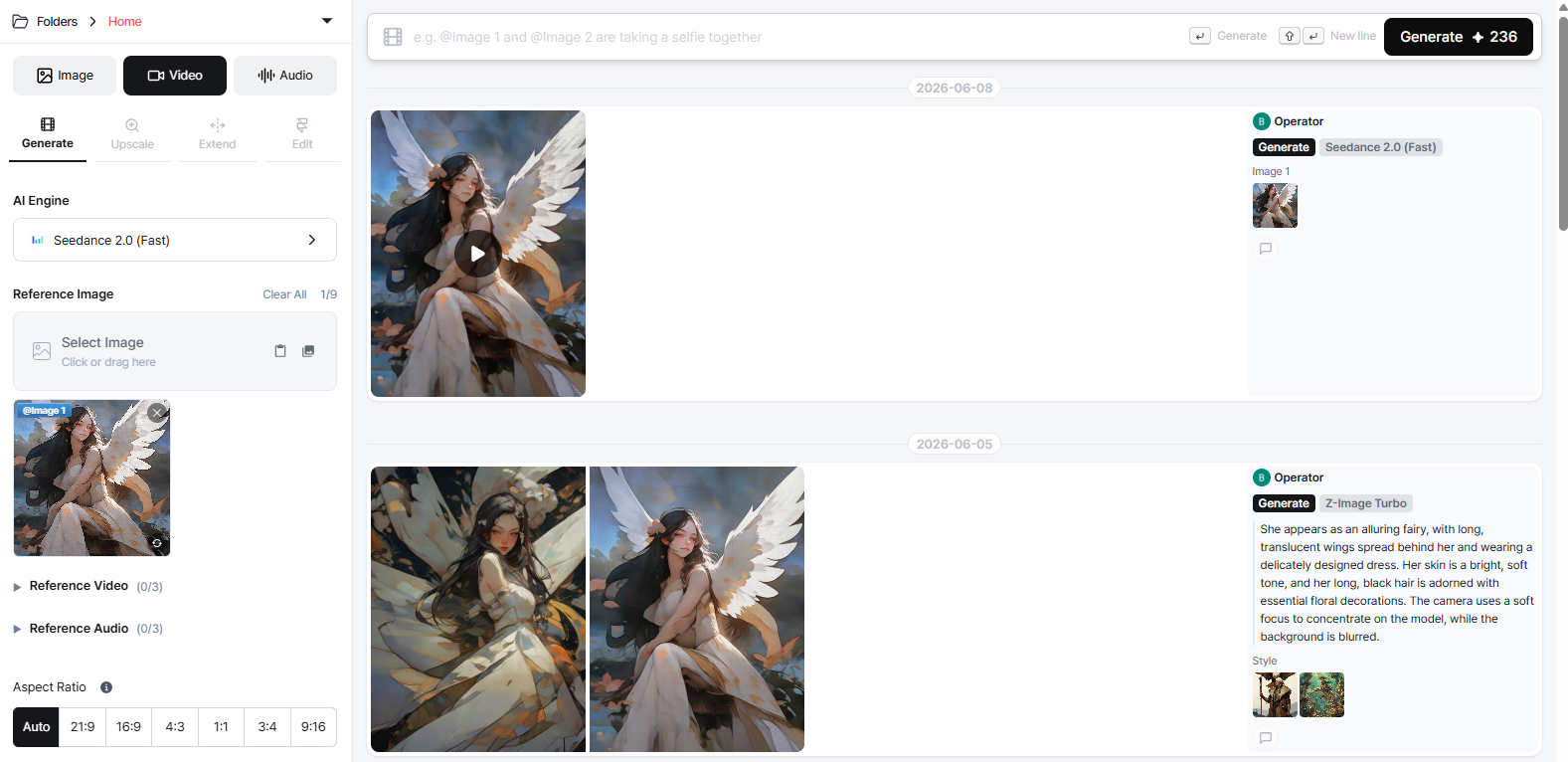
Video generation result.
Writing a Prompt
- You can enter text to describe the motion of the image for video generation.
Generation Settings
- Set the aspect ratio, video length, resolution, draft mode, and audio generation. The available options vary by engine.
Generation History
See Credit Usage History.
Video Upscale
Video upscaling improves the resolution and visual quality of an already-generated video.
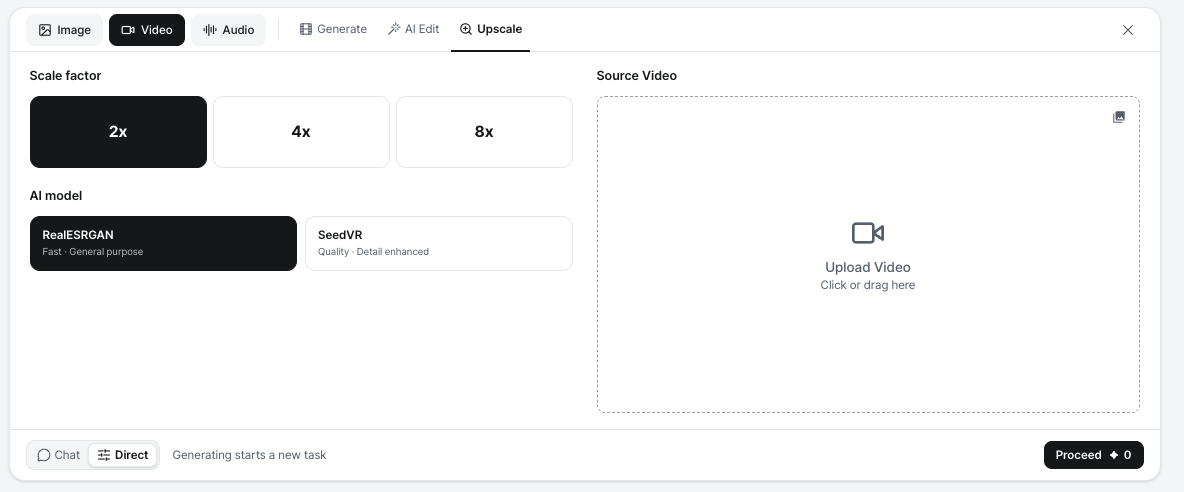
Video Upscale sub-tab
- In Direct mode, select the Video tab and open the Upscale sub-tab.
- Choose the Scale factor (2x / 4x / 8x) and the AI model (RealESRGAN: fast, general purpose / SeedVR: quality, detail enhanced).
- Upload the Source Video and click Proceed.
- The upscaled video is processed and saved as a new file alongside the original.
Notes:
- The credit cost is shown on the Proceed button.
- Processing time varies depending on video length and resolution.
- The original video is preserved and not replaced.
Next Steps