Audio Generation
Summary: XBRUSH's audio generation provides four features: text-to-speech (TTS), AI music composition, sound effects, and lip-sync. You can generate various types of audio content using text or video as input.
What is Audio Generation?
Audio generation is XBRUSH's feature for creating voice, music, sound effects, and lip-sync audio using AI. It supports four sub-features: TTS for reading text aloud, music composition in your desired genre, automatic background sound generation for videos, and lip-sync that combines an image with audio.
Audio Generation Overview
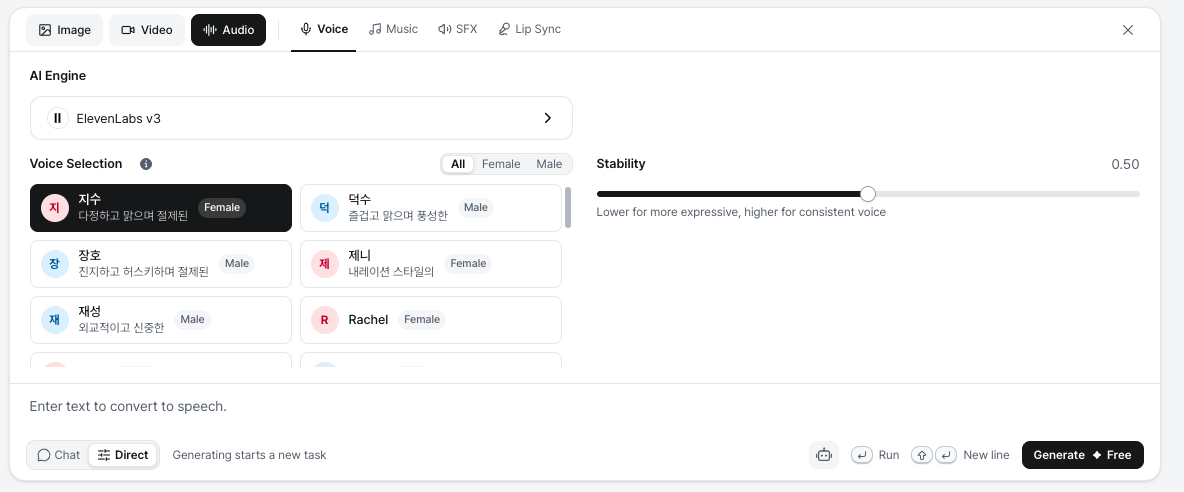
Shows the key features and usage of the audio generation function.
- In the Workspace input box, switch to Direct mode and select the Audio tab.
- An image, video, or audio file may be required depending on the feature.
- Four sub-tabs are available: Voice / Music / SFX / Lip Sync.
- Voice reads text aloud.
- Music composes a piece of music based on a text description.
- SFX generates sound effects that match an uploaded video (or from a text description).
- Lip Sync combines an uploaded image with voice audio to create a video with synchronized lip movements.
Voice (Text To Speech)
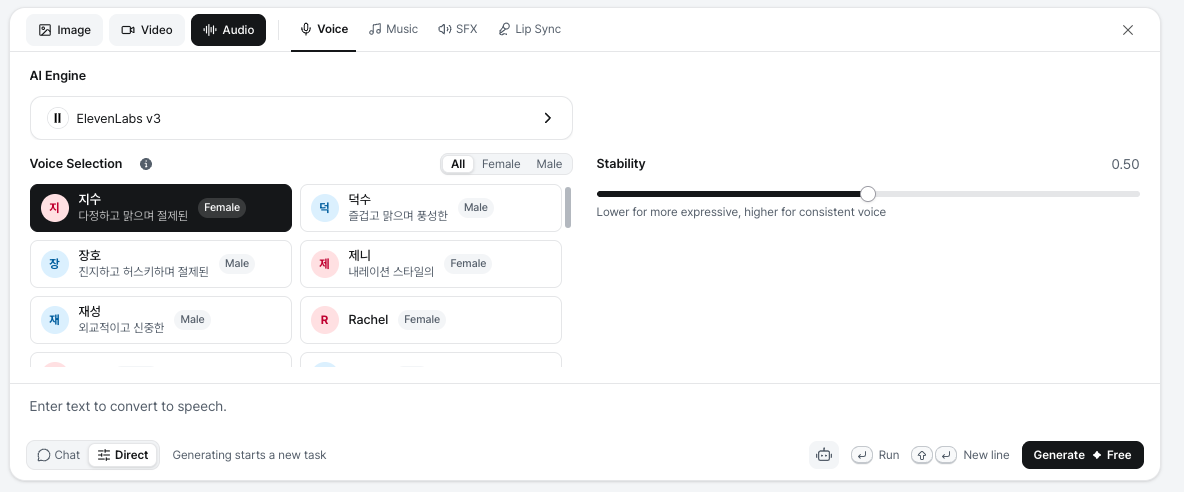
Shows the key features and usage of the text-to-speech function.
- Converts text to speech.
- The AI engine is ElevenLabs v3. Pick a voice under Voice Selection (filter by All / Female / Male) and adjust Stability (lower for more expressive, higher for a consistent voice).
- Enter the text you want read aloud and click Generate. Voice generation is free.
Music
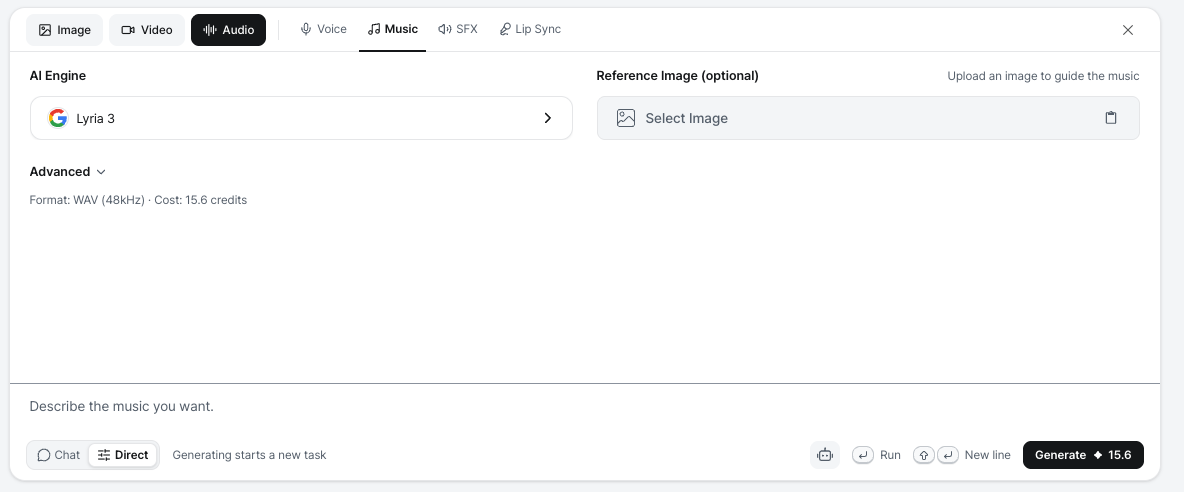
Shows the key features and usage of the music generation function.
- Generates music.
- The AI engine is Lyria 3. You can optionally upload a Reference Image to guide the music.
- Enter your desired genre, instruments, and mood as text, then generate.
- For example, entering "Compose a fingerstyle piece for classical guitar with a melody" will produce a guitar instrumental.
Sound Effects
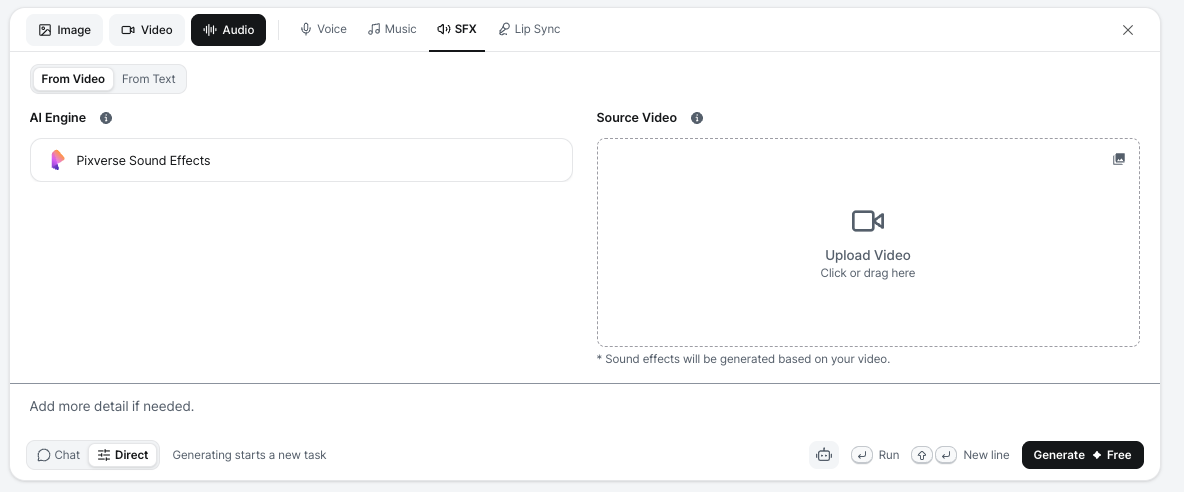
Shows the key features and usage of the sound effect generation function.
- Generates sound effects. Choose From Video or From Text.
- In From Video mode, upload the source video, add more detail if needed, then click Generate.
- The system creates sound effects that fit the uploaded video.
Lip-sync
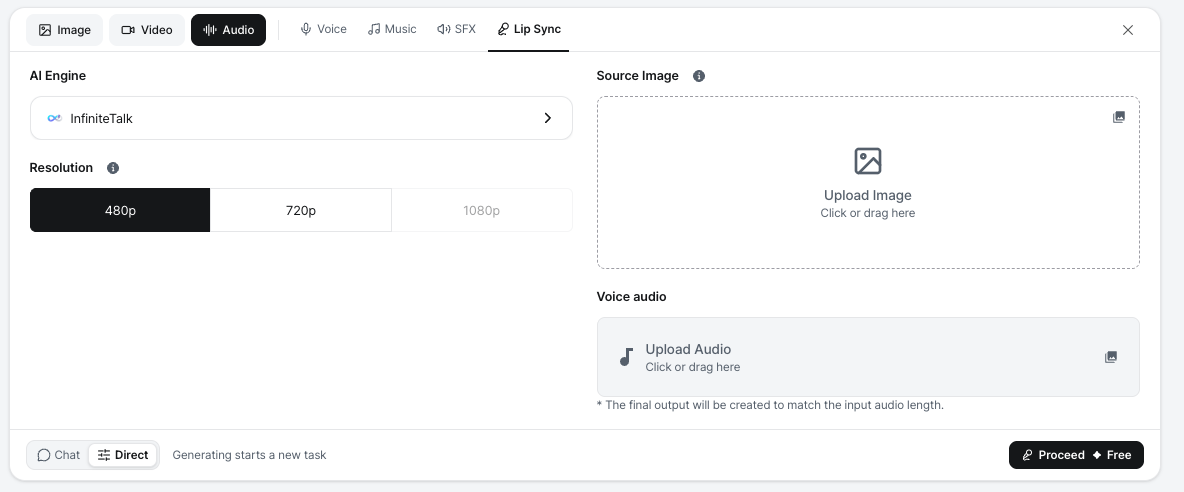
Shows the key features and usage of the lip-sync generation function.
- Combines audio with an image to create a synchronized video.
- Upload a source image and add the desired voice audio to generate a lip-synced video (AI engine: InfiniteTalk, resolution 480p / 720p / 1080p).
- The final output matches the length of the input audio.
Next Steps
- Video Generation
- Editor — Create presentations using images and videos
- Publish — Review visibility settings, content review, and important notes