Style Generation
Summary: XBRUSH's style (LoRA) generation lets you train an AI on your own artistic style to repeatedly generate images with a consistent look. You can create a custom style with as few as 2–3 images, and generated styles are shared with your team.
What is a Style (LoRA)?
A Style (LoRA) is XBRUSH's custom model training feature that lets the AI learn from images you provide to consistently reproduce a specific artistic style, brand identity, or character look. Once trained, a style can be applied repeatedly during image generation to produce consistent results. Style training costs approximately 100–300 credits and takes 5–30 minutes.
Basic Usage
- In the left control panel on the generation page, click the Apply Style button under Image AI Engine / Style.
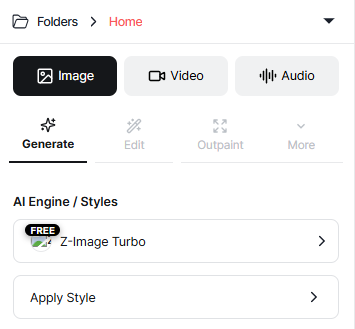
Control panel.
-
In the popup, select the Custom tab.
-
From the Custom tab, click Create Style to create your own style.
Training History
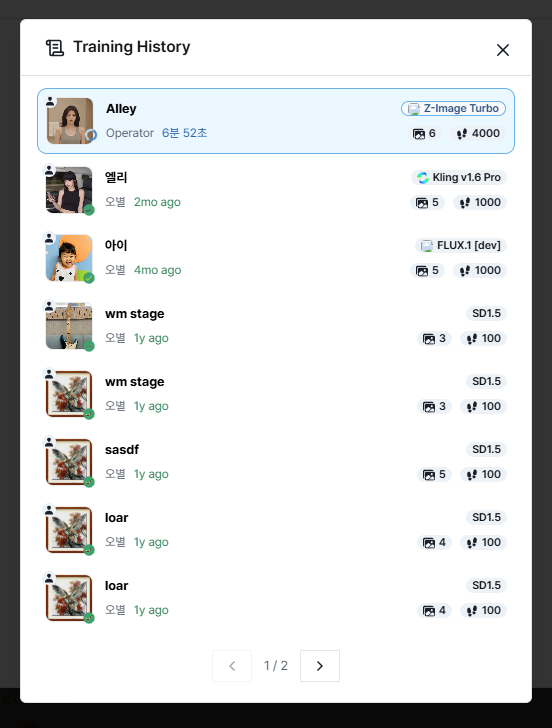
Training History.
- You can view your style training history here. Click Create Style to generate a custom style from your images.
Creating a Style
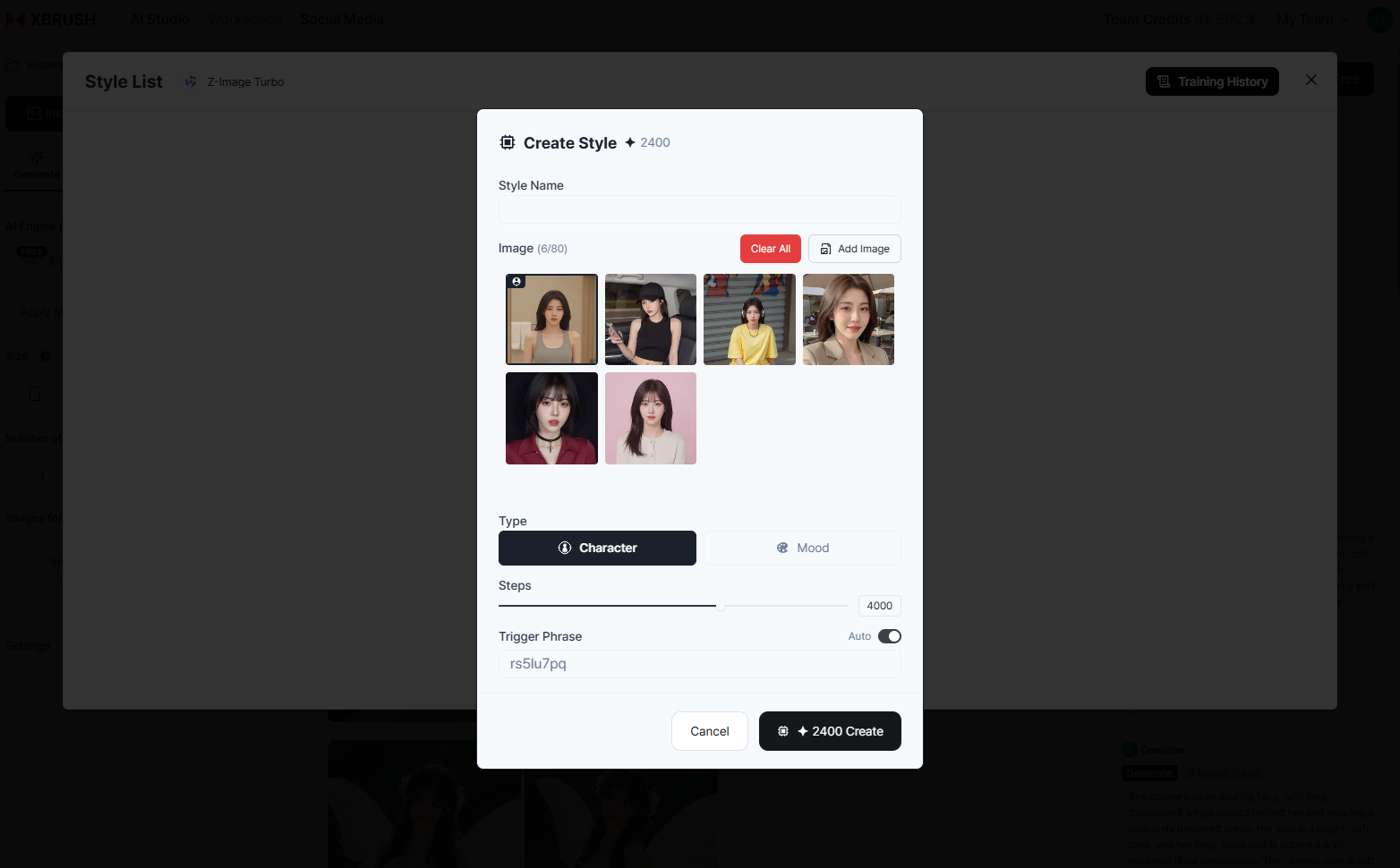 Create style.
- Enter a name for the style.
- Add the images you want to train the style on. More images produce better results, but you can start with as few as 2–3.
- The trigger phrase is a keyword you add during image generation to activate the style. When you include the specified phrase in your prompt, the style will take effect.
- Once created, apply the style using Apply Style and generate your image.
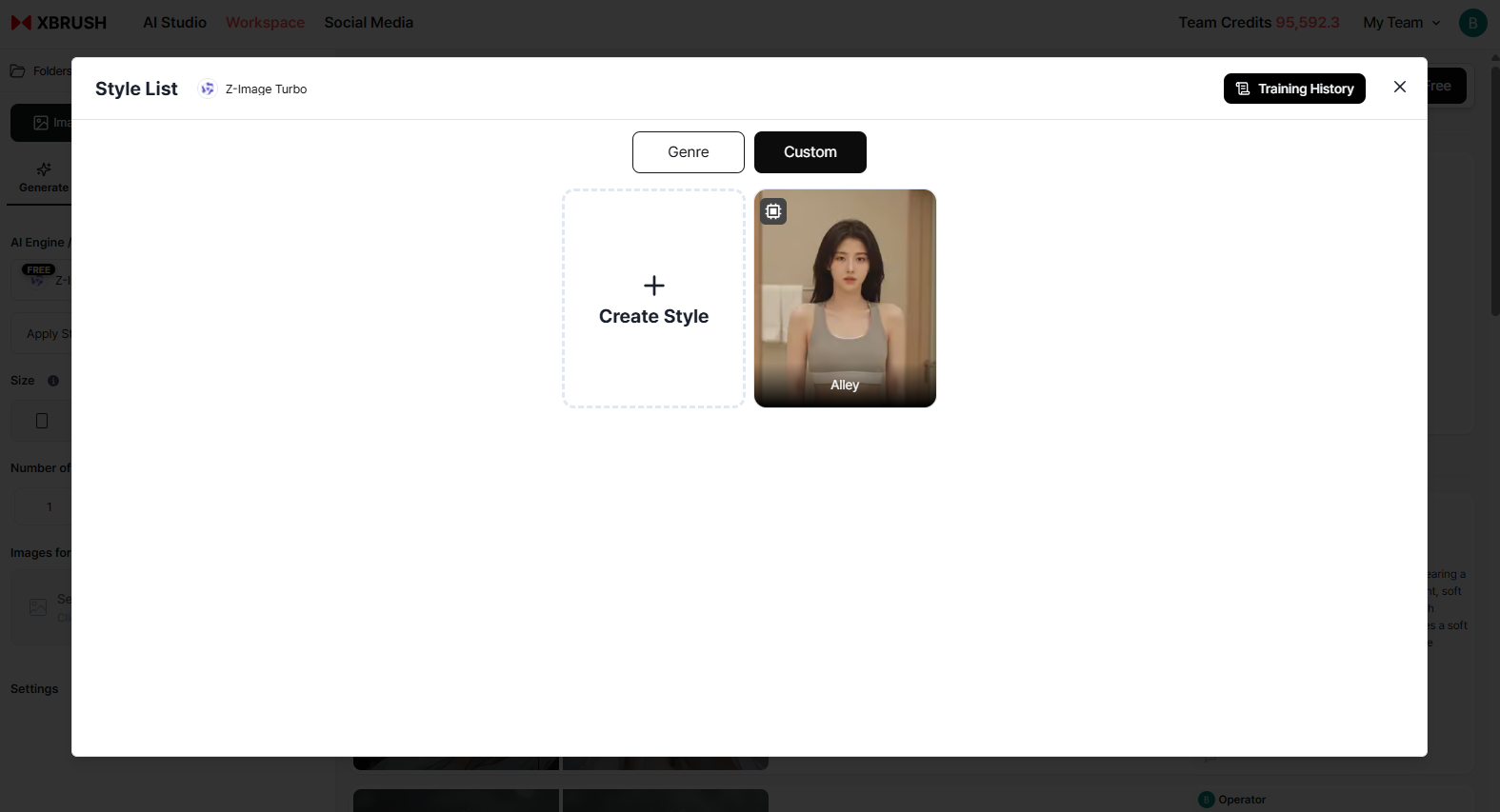 Create style.
- After creation, you can review the generated style.
- The generated style belongs to your team and is available for all team members to use.